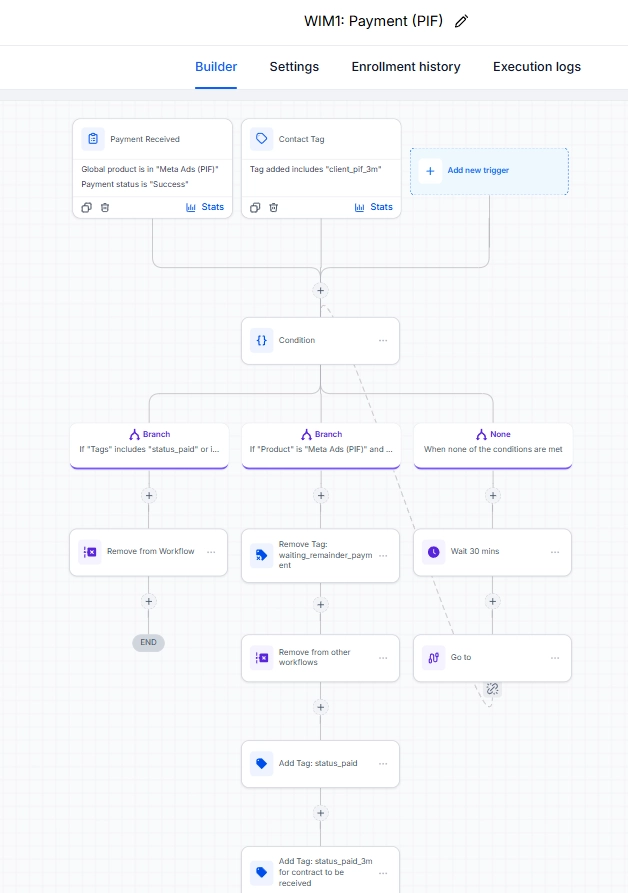
What happens after payment?
I used a payment event and contact tags to route the next step. The team can follow the paid-in-full path without rebuilding it for each client.

What IF Media / Marketing agency
I built What IF Media’s full client journey from scratch in GoHighLevel. From the first lead to onboarding and ongoing follow-up, the team could see what should happen next.
Explore the GHL build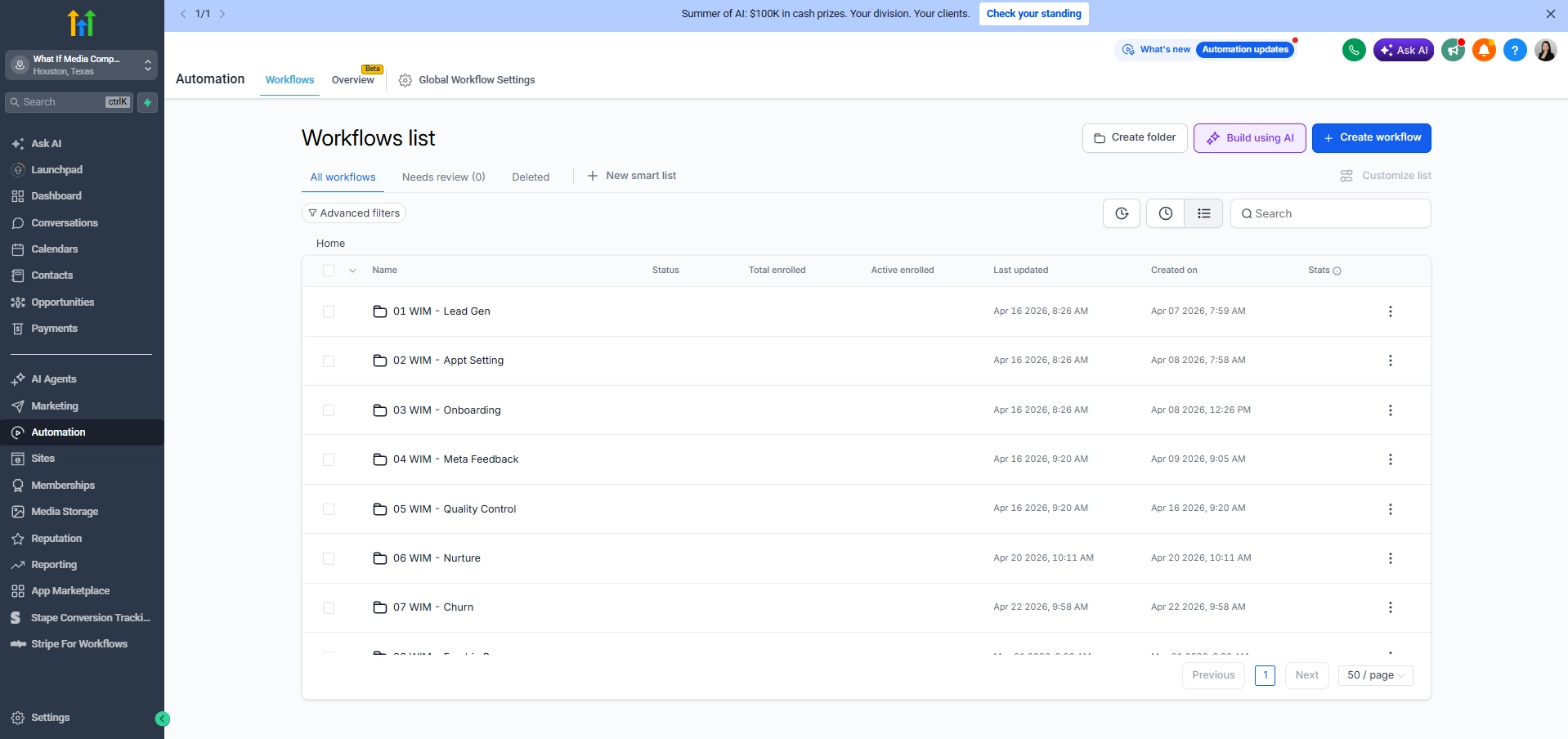
Case study / 01
Know who needs a call, whose contract is pending, and which client is ready for onboarding.
I designed and built all 60 workflows in GoHighLevel. I grouped them by what the team was trying to do: bring in leads, book appointments, onboard clients, gather feedback, check quality, nurture relationships, and handle churn.
Inside the build / Lead follow-up
The team can take over without an automated nudge interrupting the conversation.
I used a payment event and contact tags to route the next step. The team can follow the paid-in-full path without rebuilding it for each client.
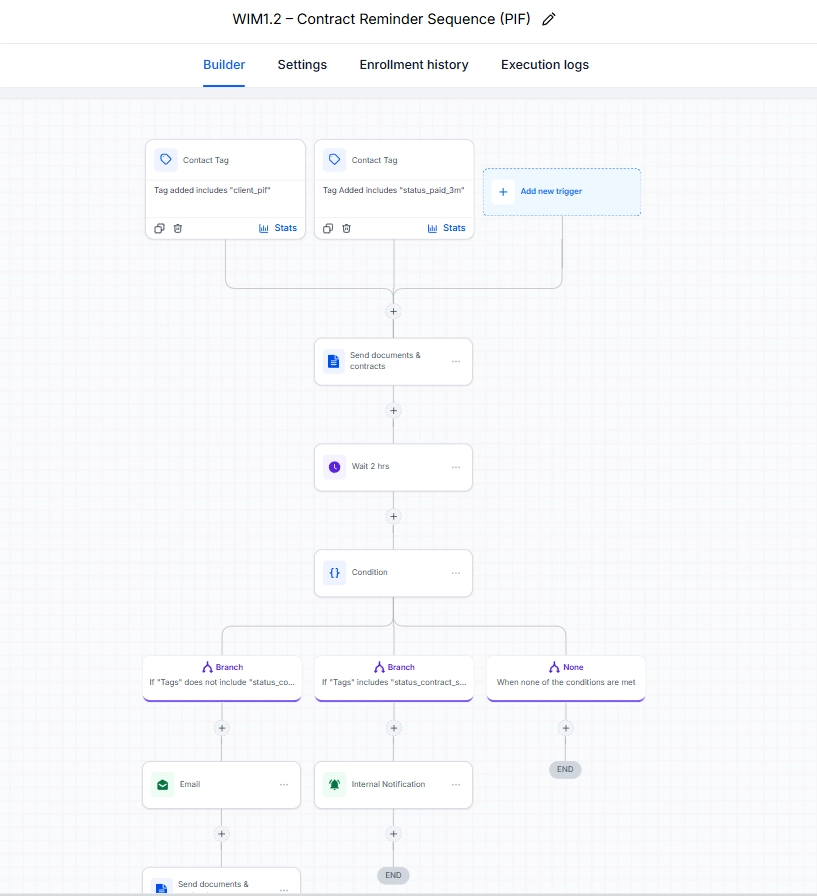
I built the contract reminder sequence separately so a pending signature has its own follow-up.
Case study / 02
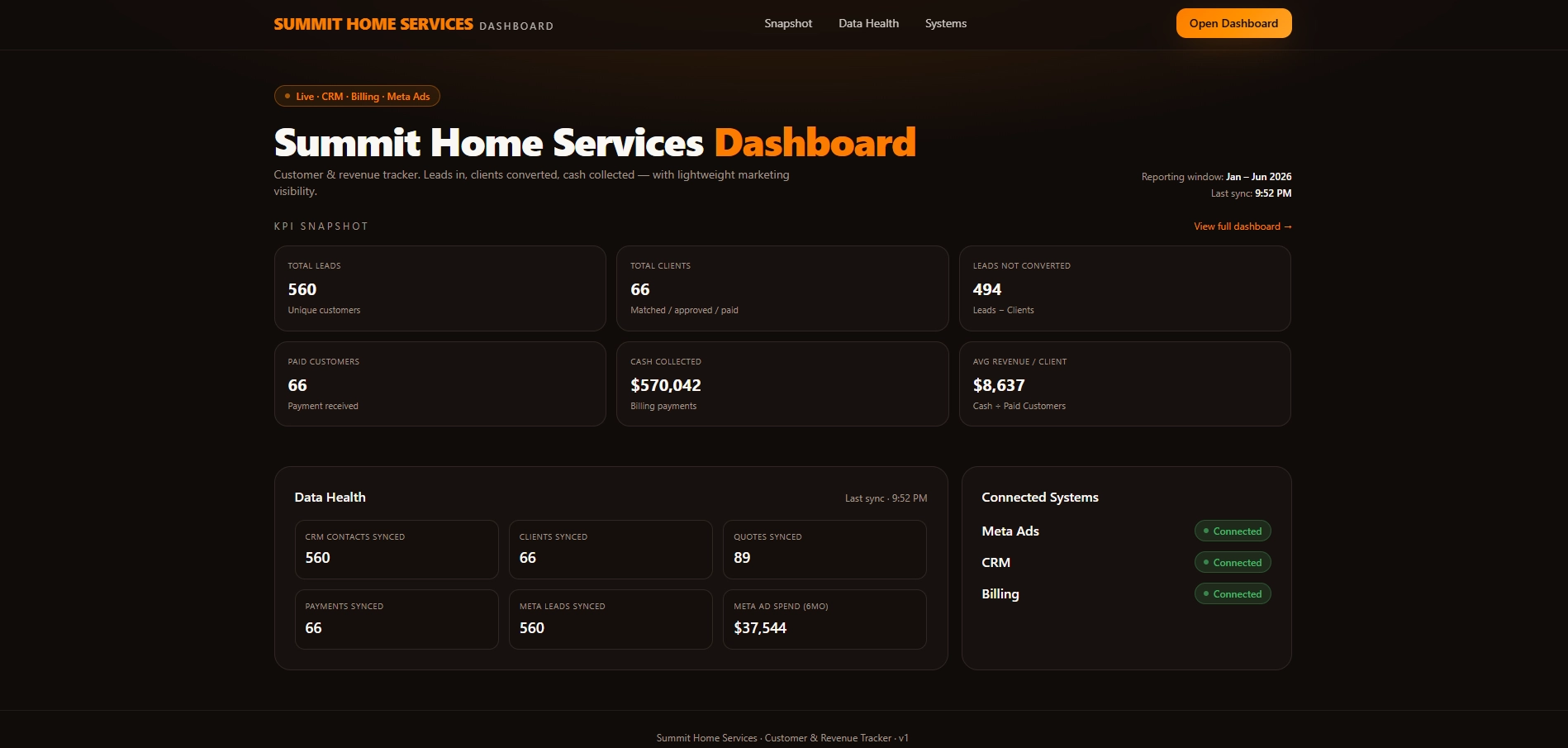
See where your leads come from, how many turn into bookings, and what revenue your jobs bring in, all in one place.
My part: I built the reporting views in Lovable and connected the data from Jobber, GoHighLevel, and Meta Ads.
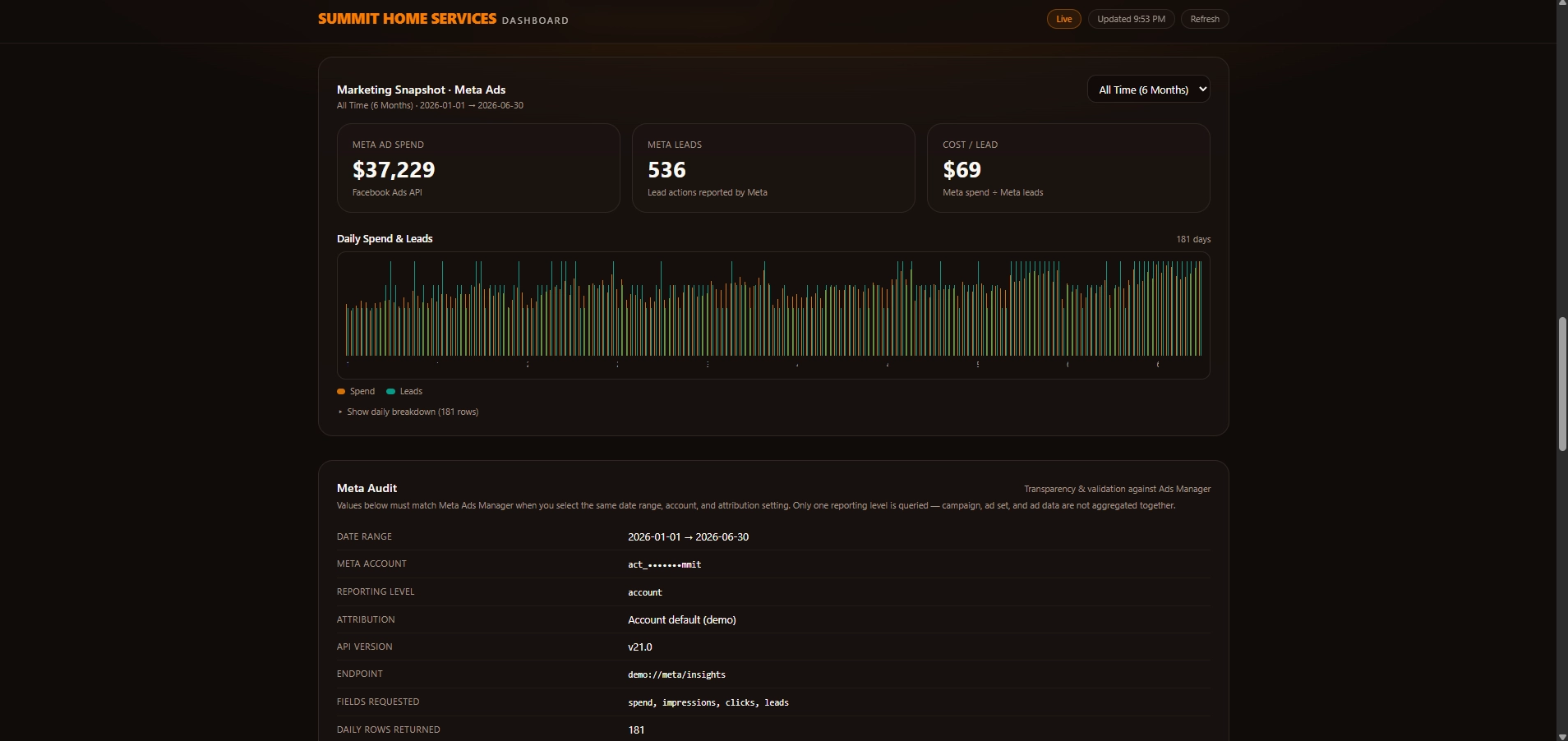
01 / Acquisition
I brought Meta campaign spend and lead activity into the same reporting view. You can see which campaigns deserve a closer look.
02 / Bookings
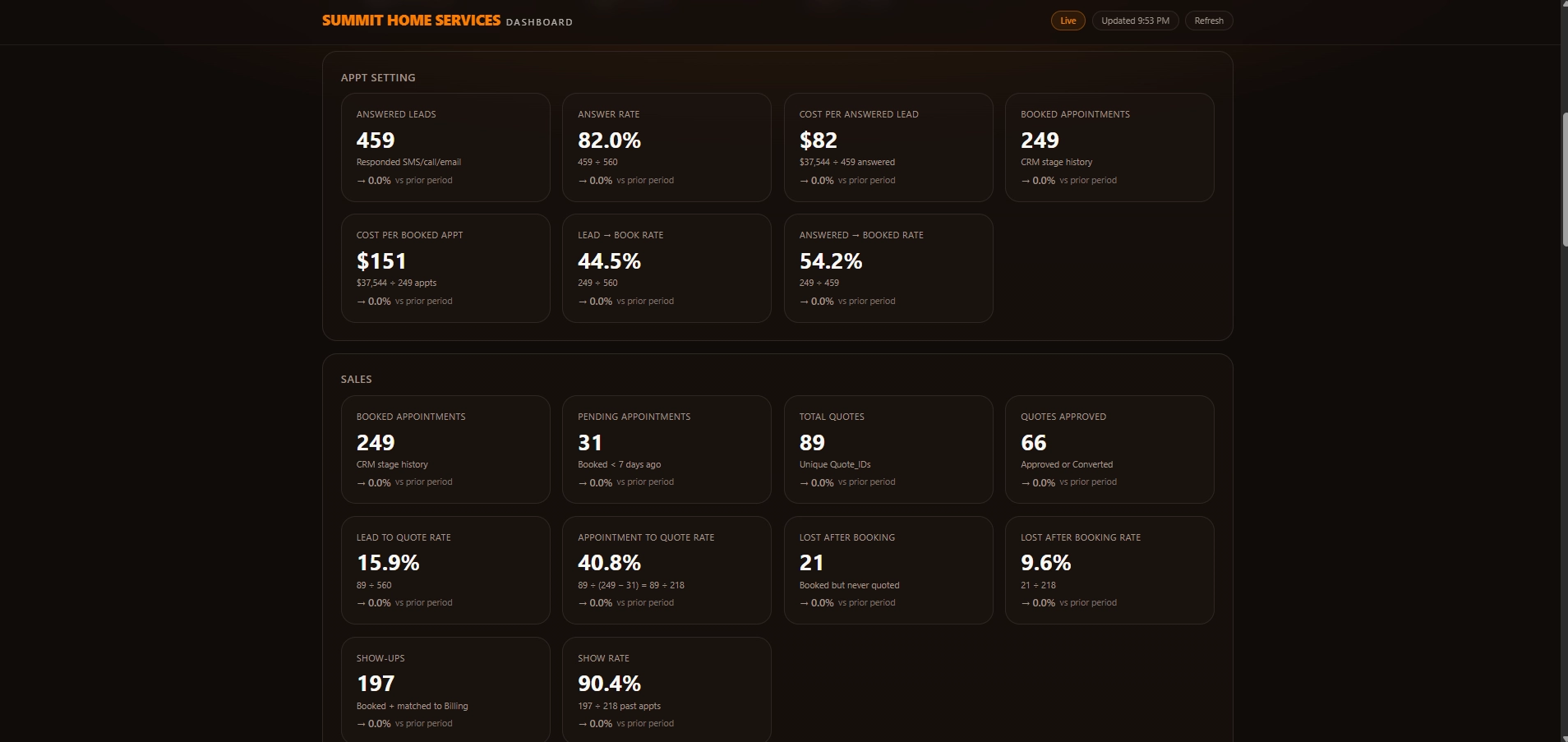
I separated bookings from sales so you can spot the difference between a busy calendar and work that actually moves forward.
03 / Revenue
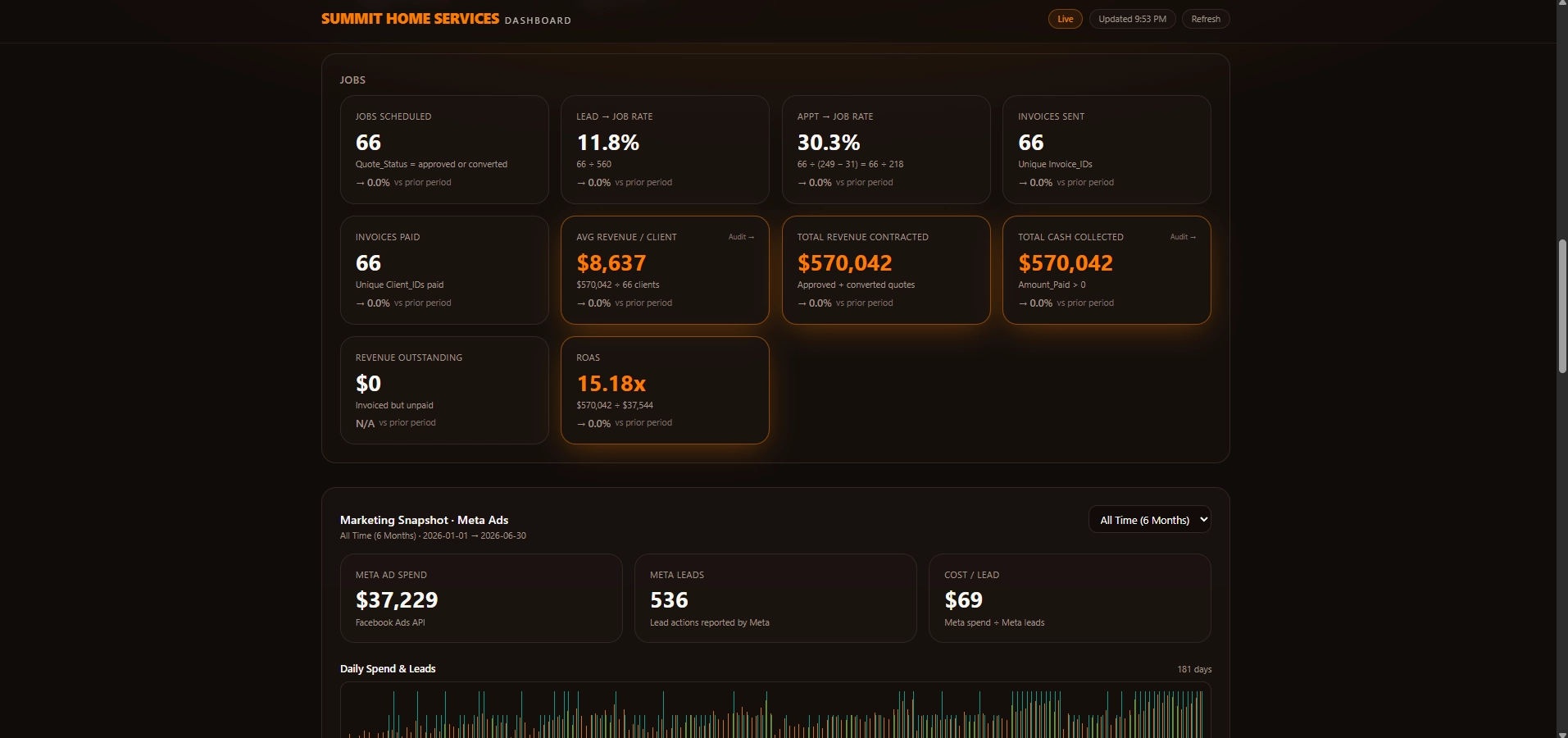
I brought job and revenue figures from Jobber into the dashboard. You can review what the work brought in alongside what you spent finding customers.
Case study / 03
Get the useful parts of a call in front of your team, and give the next action a place to go.
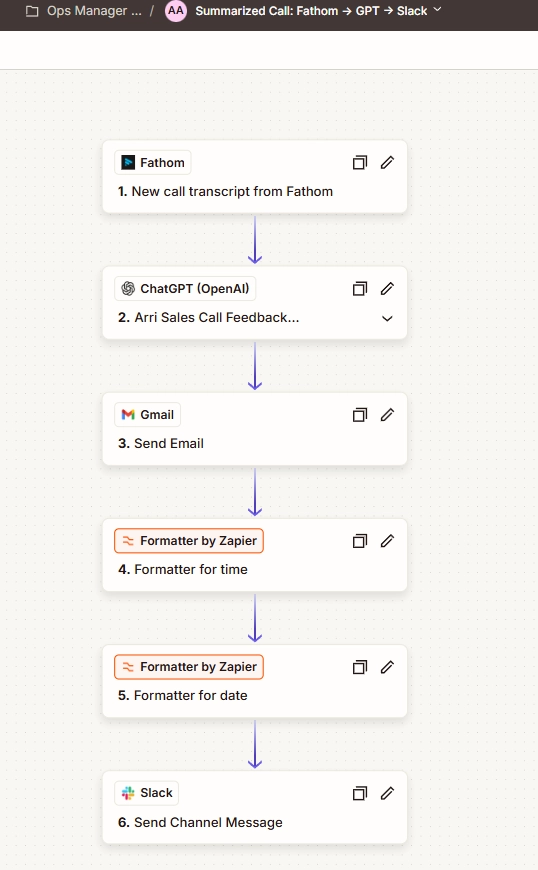
I built a Zap that takes a Fathom transcript, uses ChatGPT to prepare sales feedback, and sends it to the team. They can review the call without replaying the whole recording.
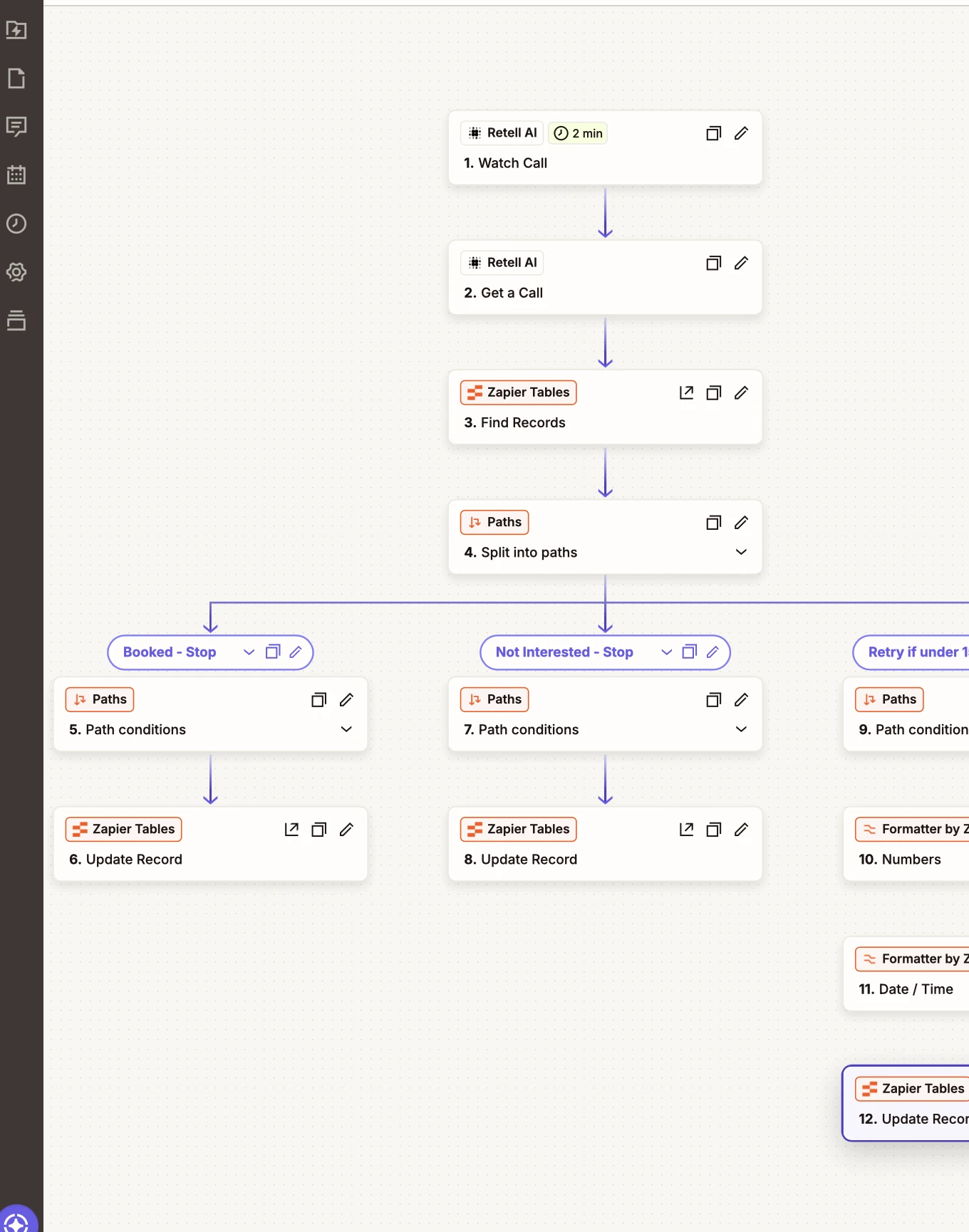
I built a router that uses the call outcome to decide whether to stop outreach or schedule a retry. A clear “not interested” follows a different path from a call worth trying again.
Another use / Reporting
I used Viktor AI to send reporting data to a spreadsheet that Lovable reads. Meta Ads connects to Lovable separately. That gives the team a clear place to check when a number looks off.
Executive support / 04
Walk into a meeting with the right materials, know who owns the next step, and find the document you need.
From my work supporting a CEO
Those are two questions I wanted a leadership team to be able to answer without sending another message.
Work index / 05
Explore the other ways I support teams.

Keep estimates, job updates, and next steps organized across a roofing team.
View screenshots
Give your team one place to find projects, owners, and deadlines.
View screenshots
Connect store updates and customer emails so your shop stays easier to manage.
View screenshots
Compare products, suppliers, and listing details before deciding what to sell.
View screenshots
Keep your website content current and easy for visitors to navigate.
View screenshots
Turn a topic into a clear article that answers a reader’s question.
View screenshots
Keep content and publishing tasks organized across your social channels.
View screenshots
Commission personal illustrations and brand artwork with a consistent visual style.
View screenshots
Give a home service business a consistent look across its social posts.
View screenshotsStart a conversation
Tell me what you’re tracking by hand, or where a follow-up keeps getting missed.
Email Rose